# Upgrading SigningHub enterprise
The following two methods could be used to perform an upgrade of SigningHub:
* [Upgrading SigningHub enterprise via SigningHub installer](#upgrading-signinghub-enterprise-via-signinghub-installer)
* [Upgrading SigningHub enterprise via XML](#upgrading-signinghub-enterprise-via-xml)
***
## **Upgrading SigningHub enterprise via SigningHub installer**
Follow these instructions to upgrade an older version of SigningHub Enterprise to the latest version.
Launch the installer by right-clicking the file name **\[SigningHub Installation Directory]/setup/install.bat** and selecting **Run as administrator**.
Click **Next** on the **Welcome** screen:
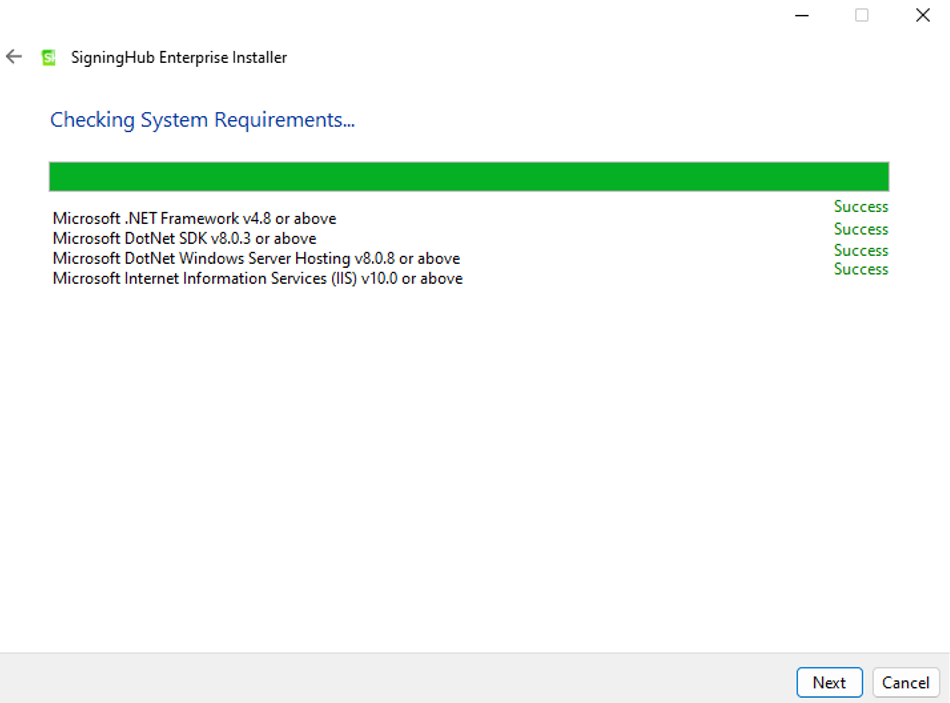
From the **System Requirements** screen, once all the requirements have been verified, click the **Next** button:
The **Installation Type** screen will appear. Select the option shown below:
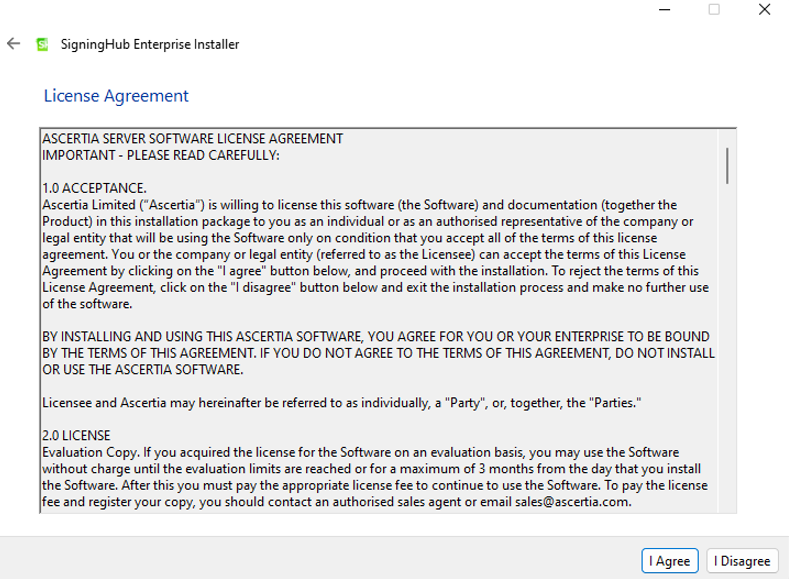
Click the **Next** button to view and accept the license agreement:
Click the **I Agree** button to proceed to the 'Read Me' screen. Click on **Next**.\
Click **Browse** and define the path to the existing SigningHub Enterprise installation directory. Then click the **Next** button to select specific modules:
This screen shows a list of all SigningHub Enterprise modules. Components that are already installed are displayed but ‘greyed out’, while any SigningHub Enterprise module(s) that have not been installed previously can be selected for installation during the upgrade.
Click the **Next** button to see the upgrade summary:
Click the **Next** button to start the upgrade process.
Click the **Finish** button to complete the SigningHub Enterprise upgrade process.
The following provides necessary information to complete the upgrade from **SigningHub v8.6** and onward to the latest version, **v10.0**
{% hint style="info" %}
1. The installer will automatically run all the database scripts and the data migration utility. .
2. SigningHub has an improved and entirely new user experience (UX), and any branding configurations will be reset to default after the upgrade for Admin and all Enterprises. It is recommended to redo the branding configuration by following the instructions for [Admin](http://manuals.ascertia.com/SigningHub-admin/default.aspx#pageid=1052) and [Enterprise](http://manuals.ascertia.com/SigningHubv7/default.aspx#pageid=1113) branding.
3. SigningHub Logs: By default, SigningHub generates minimum level of information logs. In case you need SigningHub to generate detailed level of logs, see the [SigningHub Logs ](http://help.ascertia.com.pk/installing-signinghub/#.signinghub_logs)section.
{% endhint %}
***
## **Upgrading SigningHub enterprise via XML**
Silent installation via XML refers to a method of installing SigningHub silently or without user interaction using an XML file as a configuration or parameter file. In this approach, the installer reads instructions from an XML file to perform the installation without requiring any user input. Given below is a list of parameters to be configured for carrying out an upgrade via XML. [Click here](../silentinstallationviaxml) for a detailed breakdown of each component in the XML file, indicating its purpose and visibility settings for a silent installation scenario.
* Welcome
* System Requirements
* Installation Type (The mode of installation should be set to "UPGRADE")
* License Agreement
* Read Me
* Existing Installation
* SigningHub Modules Selection
* Installation Summary
* Installation Progress
{% hint style="info" %}
1. For a silent installation via XML, set the visibility for all tags to 'false'.
{% endhint %}